Understanding the Basics of Web Accessibility: What You Need to Know
Web accessibility is the practice of creating websites and digital content that are usable by everyone, including individuals with disabilities. This encompasses a wide range of disabilities, including visual, auditory, motor, and cognitive impairments. Understanding the basics of web accessibility means recognizing the importance of designing for inclusivity so that all users can access, navigate, and interact with online content. For example, providing alternative text for images allows screen reader users to understand the content, while ensuring that color contrast is sufficient helps visually impaired users navigate a site with ease.
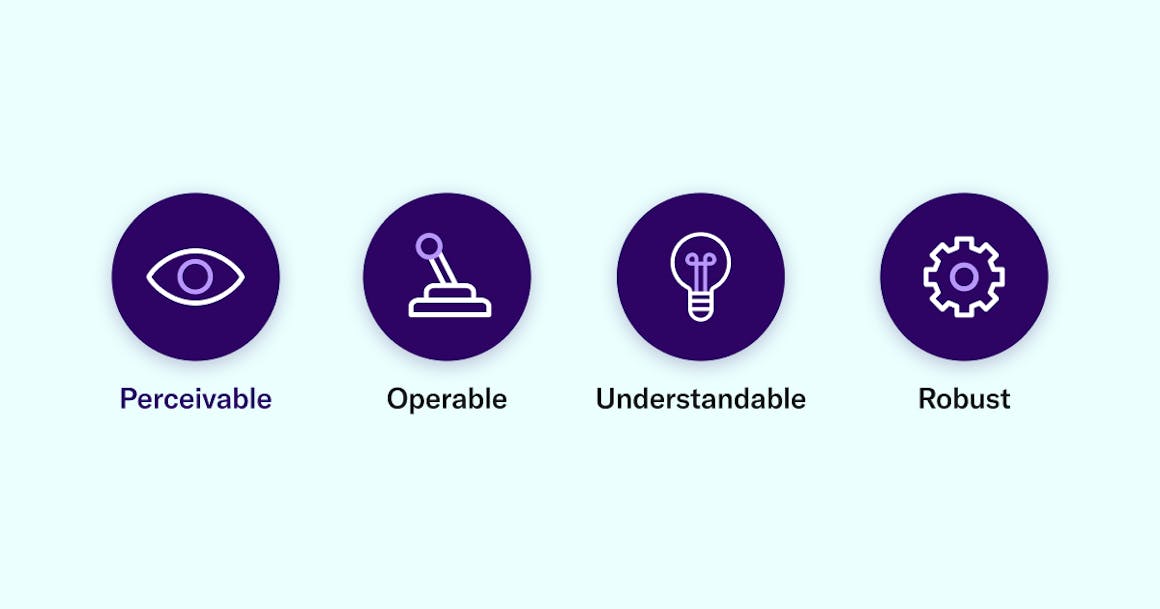
To achieve effective web accessibility, it is essential to follow established guidelines and best practices, such as the Web Content Accessibility Guidelines (WCAG). Key principles of these guidelines include:
- Perceivable: Users must be able to perceive the information presented.
- Operable: Users must be able to operate the interface and navigate the content.
- Understandable: Information and operation of the user interface must be understandable.
- Robust: Content must be robust enough to be reliably interpreted by a wide variety of user agents, including assistive technologies.
By prioritizing these principles, web developers and content creators can ensure a more accessible and user-friendly experience for everyone.
Top 10 Tips for Creating an Inclusive Website for All Users
Top 10 Tips for Creating an Inclusive Website for All Users
Creating an inclusive website is essential to ensure that all users, regardless of their backgrounds or abilities, can access and enjoy your content. Here are 10 key tips to help you design an inclusive website:
- Use Clear Language: Avoid jargon and complicated terms. Utilize plain language to ensure everyone understands your content.
- Implement Alternative Text: Always provide descriptive alt texts for images. This helps visually impaired users understand the content better.
- Responsive Design: Ensure your website is mobile-friendly. A significant portion of users access websites on mobile devices.
- Keyboard Navigation: Make sure your website is navigable using a keyboard, which is essential for users with certain disabilities.
- Color Contrast: Use high contrast colors for text and background to improve visibility for users with visual impairments.
Continuing with our top tips, here are five more recommendations to enhance inclusivity:
- Caption Videos: Provide captions and transcripts for audio and video content, ensuring it’s accessible to users with hearing impairments.
- Test with Real Users: Conduct usability testing with diverse groups to gather feedback, making improvements where necessary.
- Use Accessible Forms: Label all form elements clearly and provide helpful error messages for users.
- Avoid Auto-Playing Media: Auto-playing videos or audio can be disruptive. Allow users to control media playback instead.
- Stay Updated on Accessibility Standards: Regularly review and update your website to comply with the latest accessibility guidelines and best practices.
How to Evaluate Your Website's Accessibility: Tools and Best Practices
Evaluating your website's accessibility is a crucial step towards ensuring that it is usable for everyone, including individuals with disabilities. Start by using automated tools such as WAVE or axe, which can quickly identify common accessibility issues like missing alt text, improper heading structure, and insufficient color contrast. Once you've run your site through these tools, gather the results and prioritize them based on severity. Prepare to address these issues diligently, as they can significantly impact the user experience for those relying on assistive technologies.
In addition to automated tools, it's essential to incorporate manual testing into your accessibility evaluation. This includes conducting user testing with individuals who have disabilities to gain insight into their experiences on your website. Furthermore, adopt best practices such as following the Web Content Accessibility Guidelines (WCAG) which provide comprehensive criteria to improve accessibility. Regularly reviewing your site using these strategies not only enhances usability but also aligns with legal requirements, ultimately benefiting all users.